此内容尚不支持你的语言。
Agent templates (Admin panel › Marketplace › Agent templates) is the review queue for agents and teams that people share to the Marketplace. For what users see, read Agent & team templates.
Pick a queue
Section titled “Pick a queue”Switch between pending, approved, rejected, suspended and retired.
Each card shows the template’s kind, members, name, author, how many agents it has and how many workflows it needs, and its description. An Update in review label means a live template has a new version waiting; a summary lists what changed. The live version stays up until you approve the update.
Click Preview to read each agent’s name, role and instructions before deciding.
Decide
Section titled “Decide”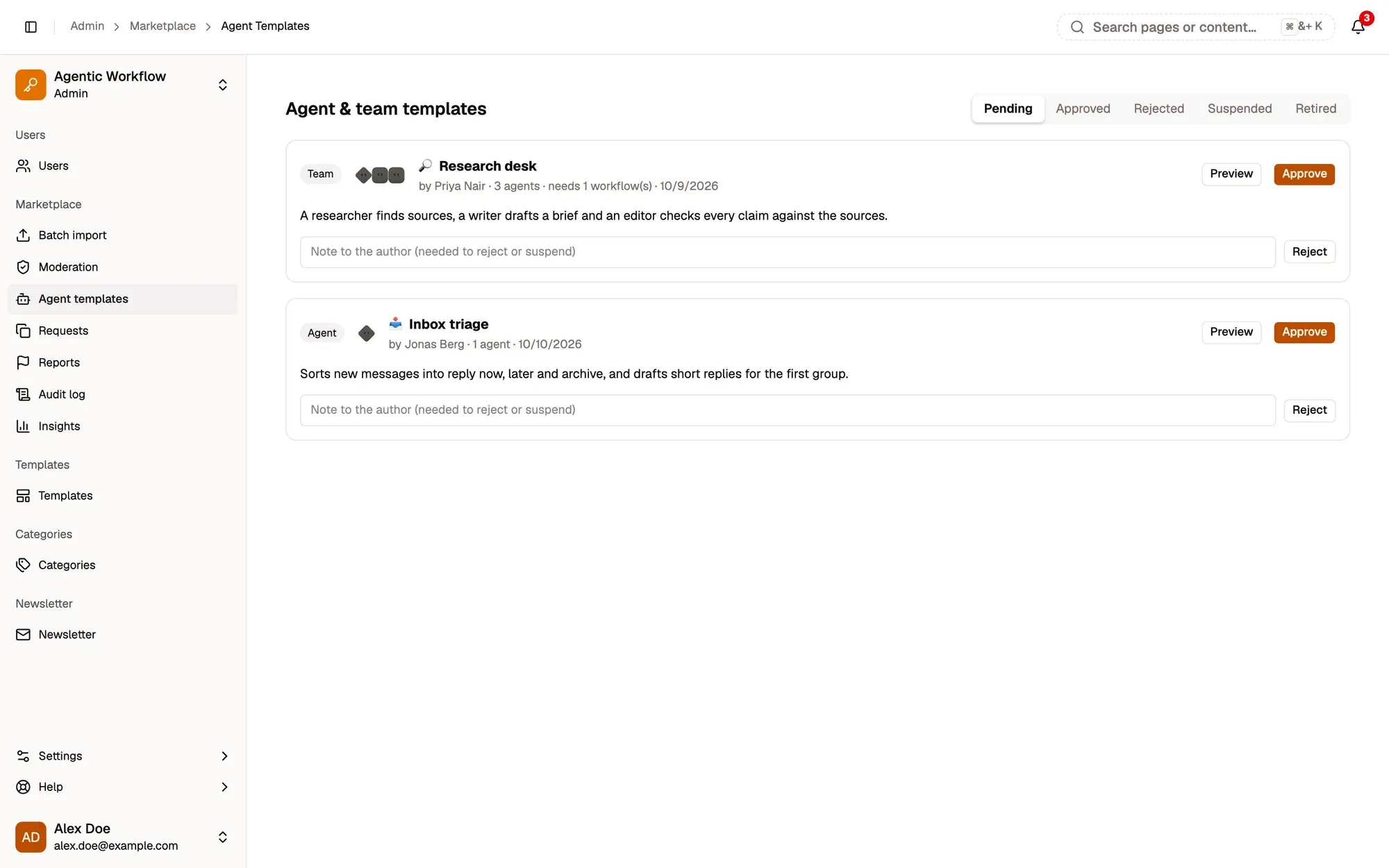
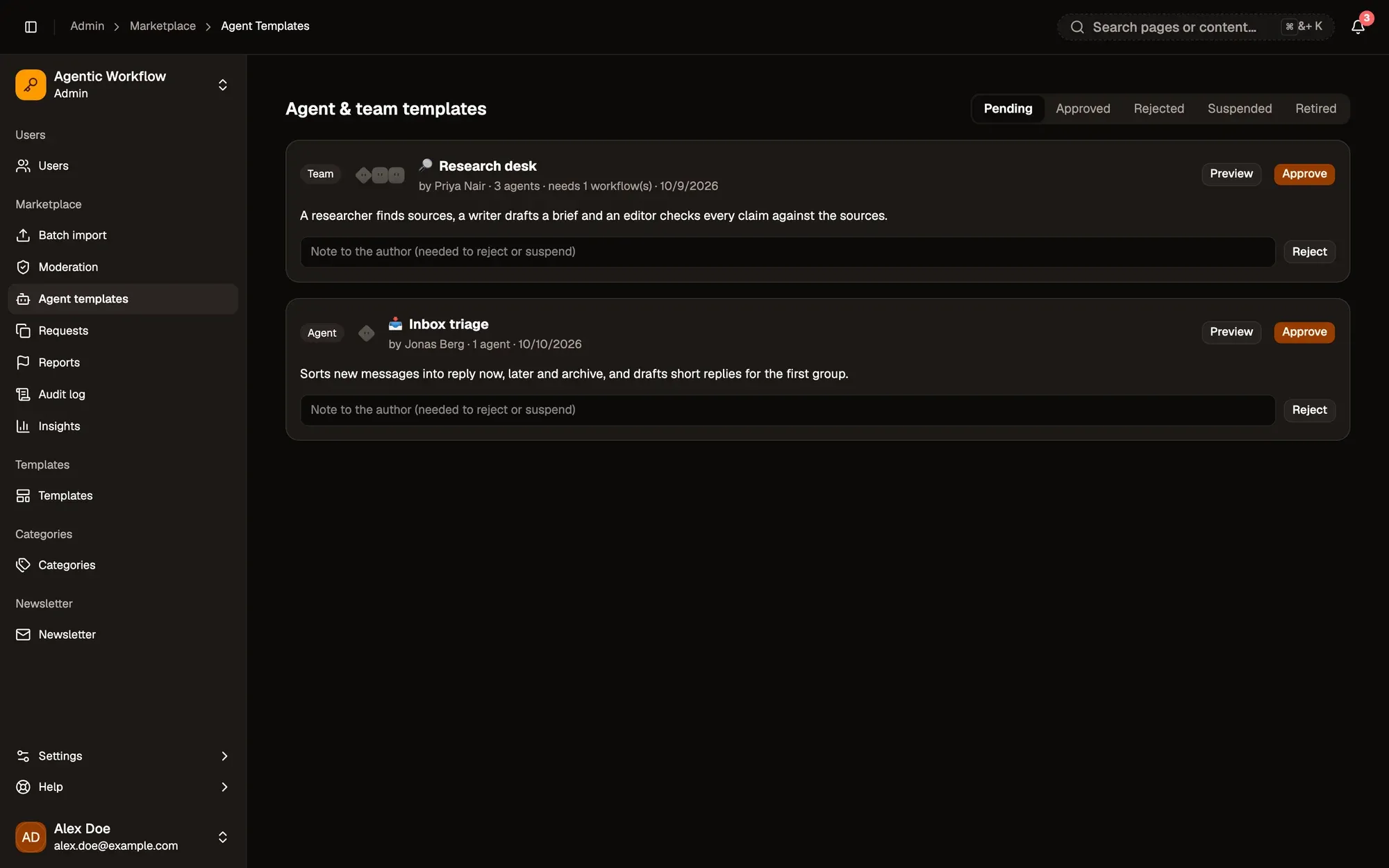
截图中的编号区域:1. Queues; 2. Preview; 3. Note to the author; 4. Approve; 5. Reject。
Type a note in Note to the author when needed, then:
- Approve (or Approve update) publishes it.
- Reject (pending queue only) sends it back. A note is required.
- Suspend (approved queue only) takes a live template down. A note is required.
The author sees your note. Every decision is recorded in the Audit log.