Skip to content
Agentic Workflowdocs
v0.8.2Install free

use the app / settings

AI providers

Add the AI services and API keys the assistant can use

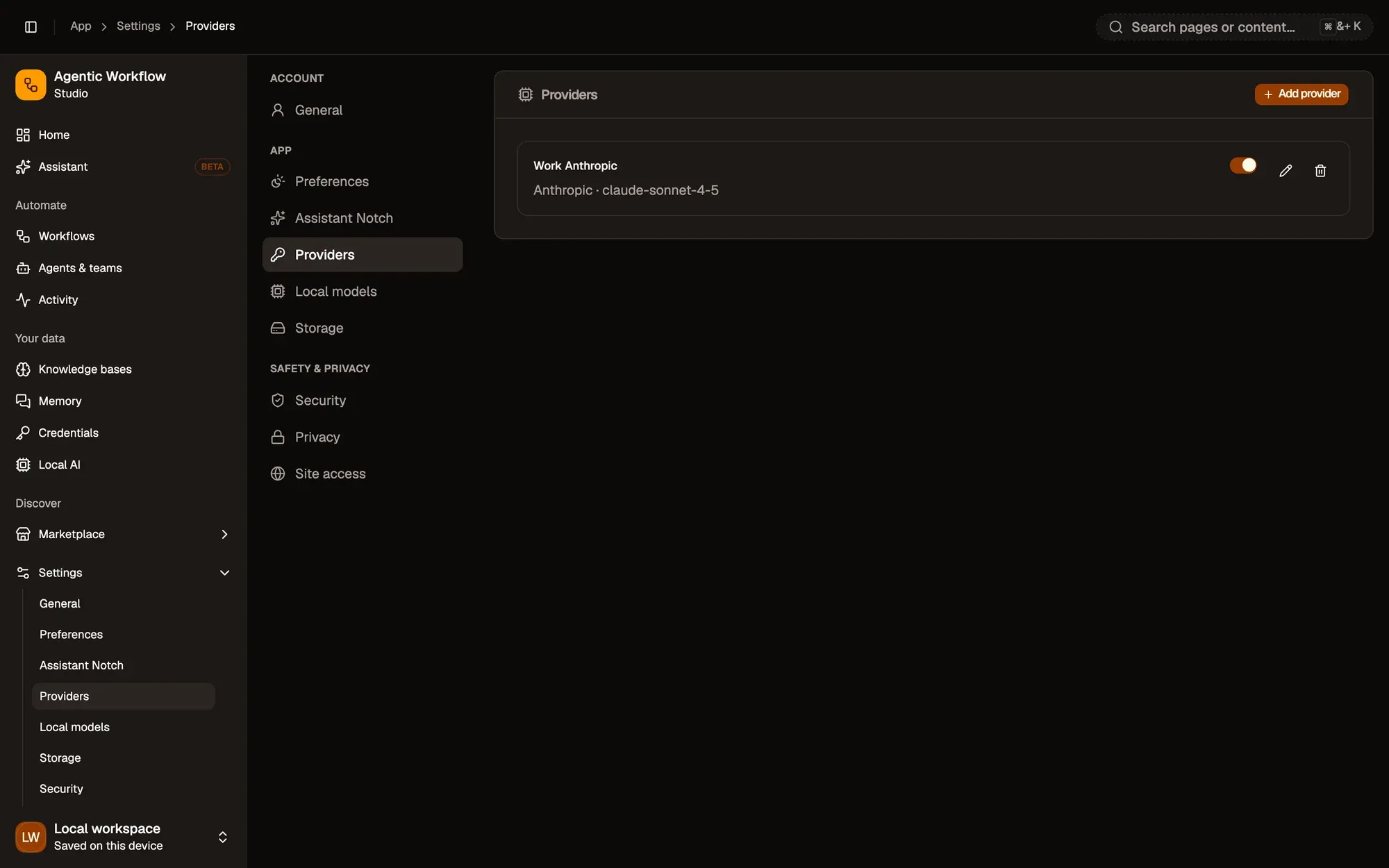
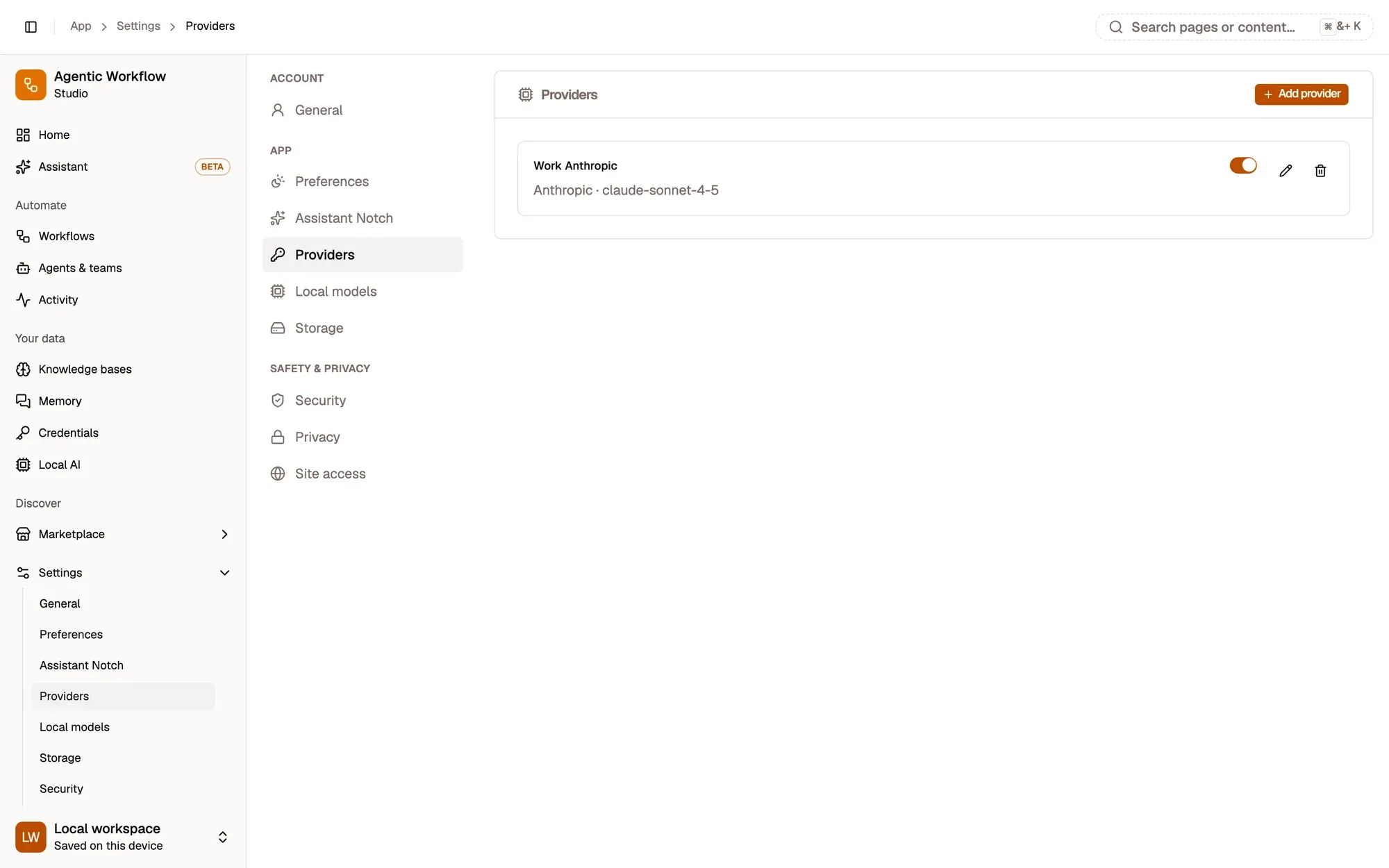
Settings › Providers is where you connect cloud AI services for Aria and your agents. Without a provider, the assistant can still use on-device models.

Open Settings at the bottom of the sidebar and click Providers.

Step 1: Click Add provider

At the top of the Providers card, click Add provider.
Add provider
Settings, Providers, with one provider added: Work Anthropic, Anthropic · claude-sonnet-4-5, with its on/off switch and Edit and Delete buttons, below the Add provider button.Settings, Providers, with one provider added: Work Anthropic, Anthropic · claude-sonnet-4-5, with its on/off switch and Edit and Delete buttons, below the Add provider button.

Check: the Add provider dialog opens.

Step 2: Fill in the provider

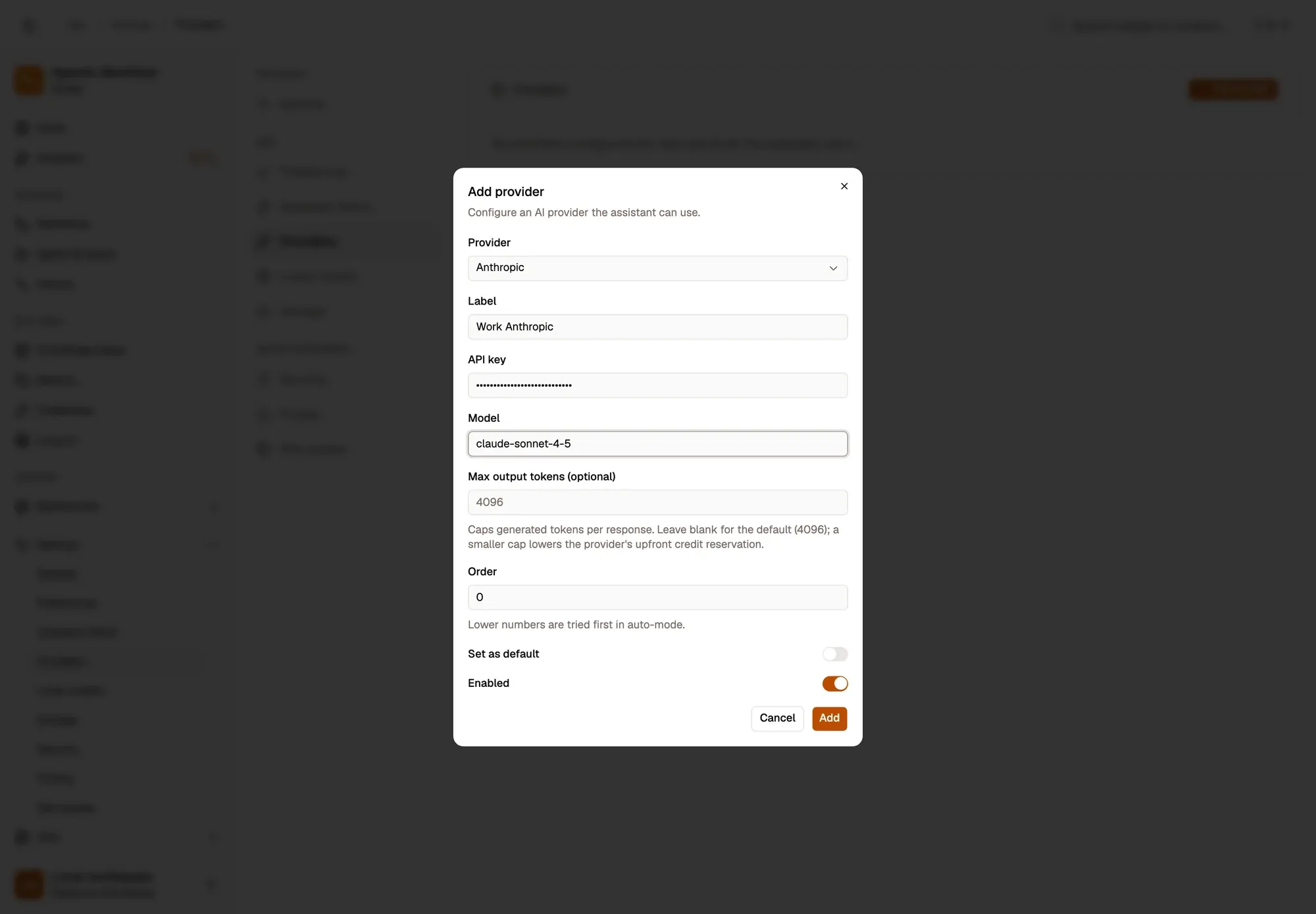
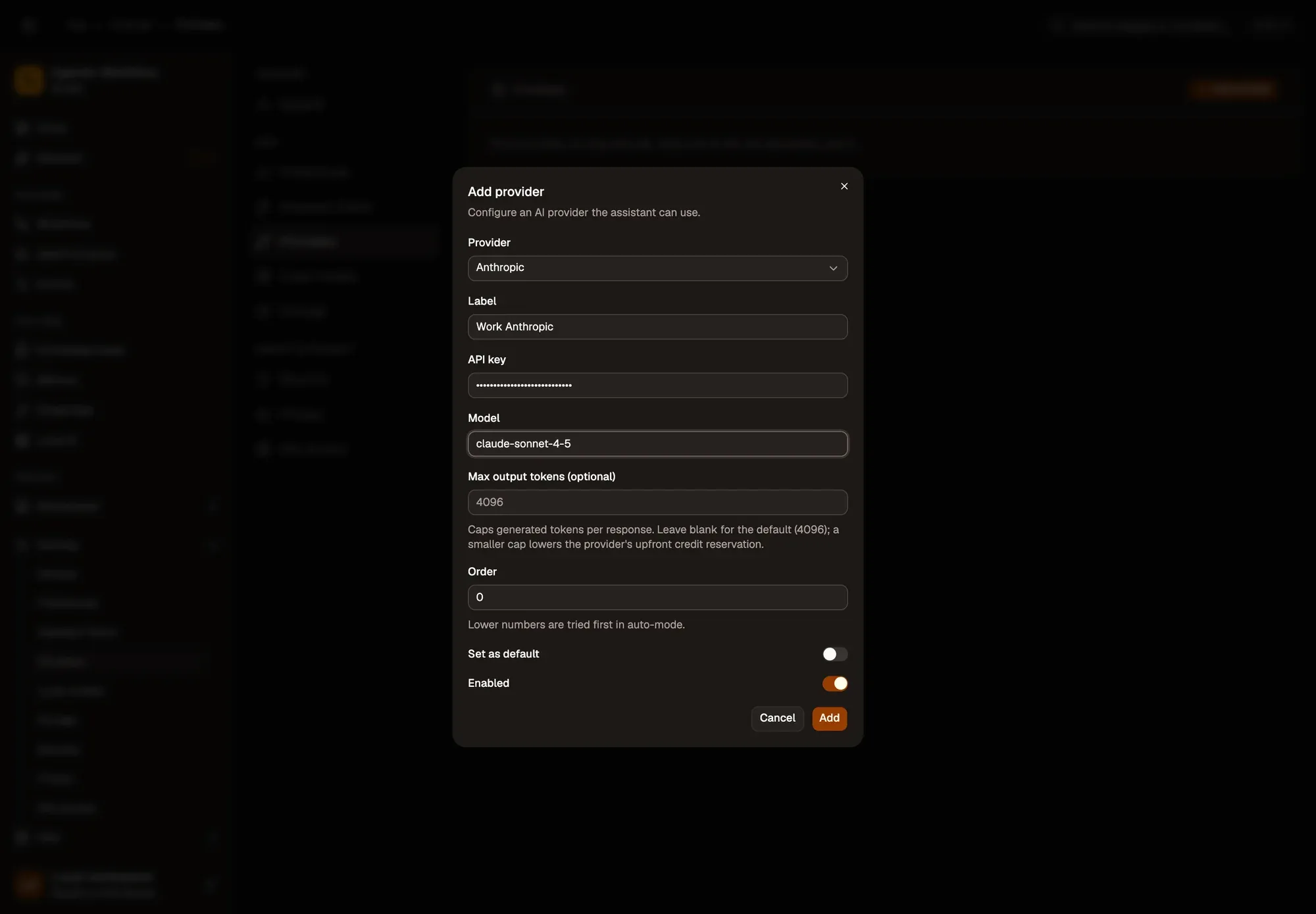
Pick the Provider: Anthropic, OpenAI, Google, Groq, OpenRouter, DeepSeek, xAI, Azure OpenAI, Ollama (local) or OpenAI-compatible. Give it a Label you’ll recognise, paste your API key, and type the Model name.

For Ollama or an OpenAI-compatible service, also fill in the Base URL. For Azure, fill in the instance and deployment names.
API key
Settings, Providers, with the Add provider dialog open: Provider set to Anthropic, Label Work Anthropic, a hidden API key, Model claude-sonnet-4-5, a blank Max output tokens (optional) field (default 4096), Order 0 (lower numbers are tried first in auto-mode), Set as default off, Enabled on, and Cancel and Add buttons.Settings, Providers, with the Add provider dialog open: Provider set to Anthropic, Label Work Anthropic, a hidden API key, Model claude-sonnet-4-5, a blank Max output tokens (optional) field (default 4096), Order 0 (lower numbers are tried first in auto-mode), Set as default off, Enabled on, and Cancel and Add buttons.

Step 3: Set the options and click Add

Optionally set Order (lower numbers are tried first), Set as default, and a Max output tokens cap (4096 when left blank). Then click Add. Nothing is sent to the provider until the assistant uses it.

Add
Settings, Providers, with the Add provider dialog open: Provider set to Anthropic, Label Work Anthropic, a hidden API key, Model claude-sonnet-4-5, a blank Max output tokens (optional) field (default 4096), Order 0 (lower numbers are tried first in auto-mode), Set as default off, Enabled on, and Cancel and Add buttons.Settings, Providers, with the Add provider dialog open: Provider set to Anthropic, Label Work Anthropic, a hidden API key, Model claude-sonnet-4-5, a blank Max output tokens (optional) field (default 4096), Order 0 (lower numbers are tried first in auto-mode), Set as default off, Enabled on, and Cancel and Add buttons.

Check: the provider is listed with its type and model, switched on.

Each provider in the list has an on/off switch, Edit and Delete.

Settings, Providers, with one provider added: Work Anthropic, Anthropic · claude-sonnet-4-5, with its on/off switch and Edit and Delete buttons, below the Add provider button. Settings, Providers, with one provider added: Work Anthropic, Anthropic · claude-sonnet-4-5, with its on/off switch and Edit and Delete buttons, below the Add provider button.

Numbered areas in the screenshot: 1. Switch the provider on or off; 2. Edit; 3. Delete.

Ask Aria